Back in 2021 I started to tag posts with Home network v2, and wrote about my plans to improve my home network. The year after — there was even an updated plan!
Then it evolved into a series, with the following description:
My home network 2.0 started with me replacing all my Unifi switches for MikroTik — and looking for a new router. Then followed a lot of network cabling and Wi-Fi improvements, and wrapping up with some IPv6.
TLDR; I’m taking my home network to the next level.
Now — five years and 17 posts later — I don’t really have any idea where I am going with this… I’m continuously improving my home network. That is a big part of my homelab hobby, a never-ending story.
So; keeping a Home network v2 tag, or series, feels a bit off. Let’s wrap this thing up.
Table of contents
Looking back
Let’s start by taking a look back at what I initially planned, and how that plan has evolved or manifested since.
Logical
- Replace EdgeRouter with MikroTik CCR1009
- Set up a virtual VyOS router
I did use the MikroTik CCR1009 for a while, but have since switched to CHR (Cloud Hosted Router) on Proxmox. First on a dedicated host with pass-through NIC, and currently as part of my Proxmox cluster. Meaning I can migrate the router between hosts.
I’ve ditched the Altibox home router, and instead plugged the SFP straight into a switch where it gets VLAN’d so it can reach the CHR no matter which host it’s running on.
So yeah — I did end up with a virtual router. MikroTik RouterOS router instead of VyOS.
- Set up client, or consumer, network
- Make management network
- Make guest network, Wi-Fi basically
- Make CoLo network, for equipment which is not mine
- Possibly a services network, for things like DNS, NTP, etc
I did make some of these networks: client, guest and services.
By moving users out of my LAN; what is left is a LAB net, which is also my management network (maybe not entirely by the book — but it is what it is). Servers, my clients, switches, etc. live on the LAB network. All other family members, streaming devices, etc, are on the users network. There is also no Wi-Fi for LAB, but it is reachable through a WireGuard tunnel.
The guest network is, well, for guests. A surprising amount of the kids’ friends ask for the Wi-Fi password when they first visit. I guess that’s what it’s like these days…
I never created a CoLo network, because I don’t have any co-located equipment.
There is a service network, which has some services that must be available for all networks, like the DNS server. NTP is handled by the virtual CHR, meaning it’s available on all networks as well.
In addition to these I have:
- DMZ
- Public facing services, like reverse proxy and web services
- CCTV
- Cameras and NVR, no internet access. Only reachable from the outside through WireGuard
- WAN
- Internet, making it available to CHR regardless of where it runs
- Cluster
- Proxmox cluster traffic, Corosync
Physical
- Wired CAT6 to the garage, 6U network rack and PoE switch
- Installing a network socket by the living room TV and media center
- Move the openly installed network cable to the hallway access point, to a conduit in the wall
- Get two network cables to the attic
- Try to improve the weak spots that were uncovered during my Wi-Fi mapping
Everything I had planned is done, and more.
It’s a long time since I replaced all my Unifi switching and routing gear for MikroTik. I still use Unifi Wi-Fi access points, and I have no plans to replace them; they look and work great.
I’ve pulled a lot of network cable… To the living room, to 2nd floor den, to the kids’ rooms, to the playroom (now converted to kids’ room), to the attic. And a few more. It’s all documented.
First I dug a trench and pulled CAT6 cable between the house and detached garage. Later, when upgrading the power to the garage, we put down conduit and pulled fiber instead.
A few weak spots were found during my Wi-Fi mapping — so more Wi-Fi access points were installed. Trying to keep all networking cables hidden.
Looking ahead
That was a lot of things in the rearview mirror. But there are some things on the horizon as well.
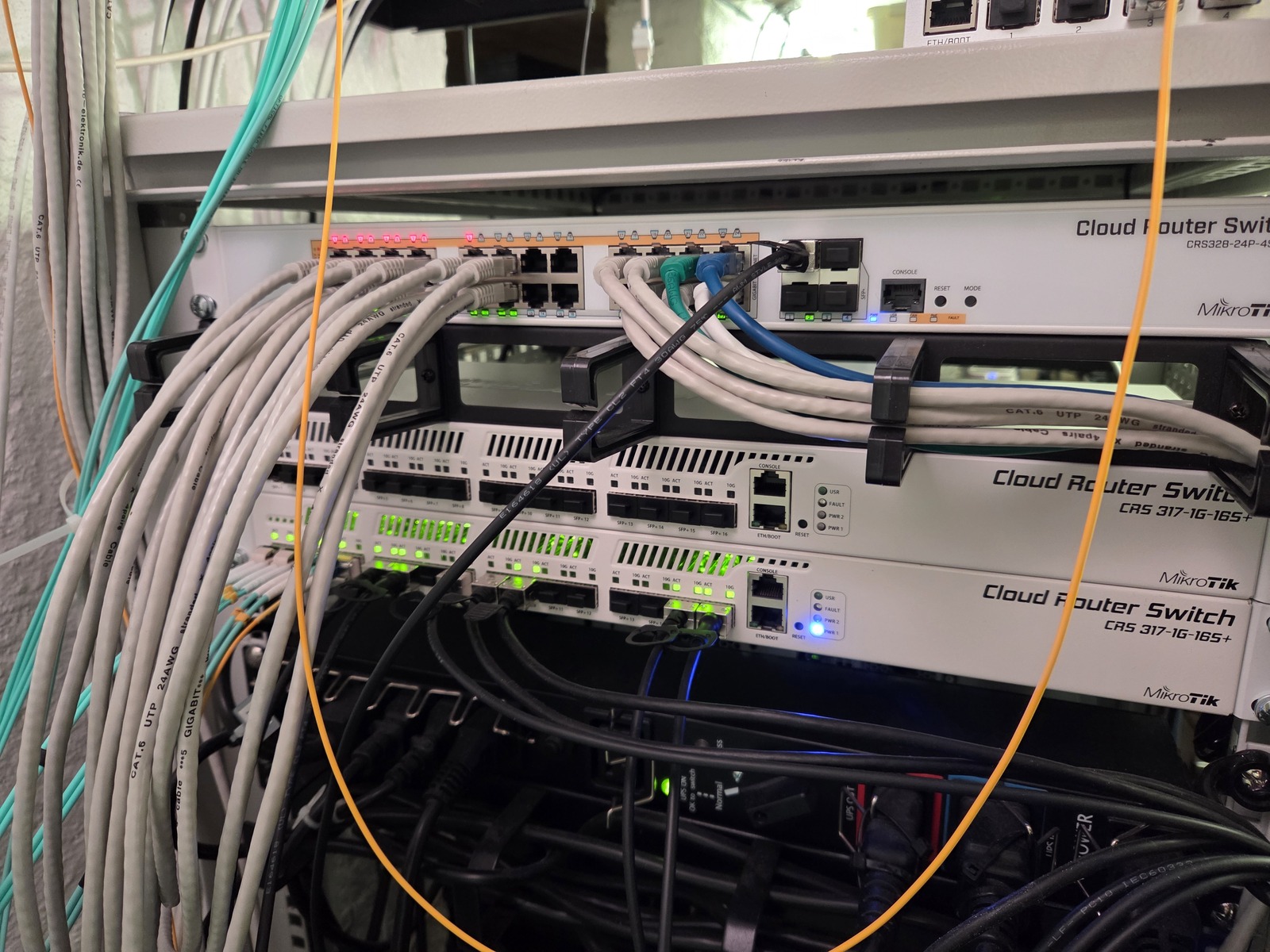
I’m looking into making my network core layer redundant using MLAG. I have already purchased an additional MikroTik CRS317-1G-16S+ switch, but haven’t had the time or energy to get started on it yet. These types of projects typically happen in the colder months for me.
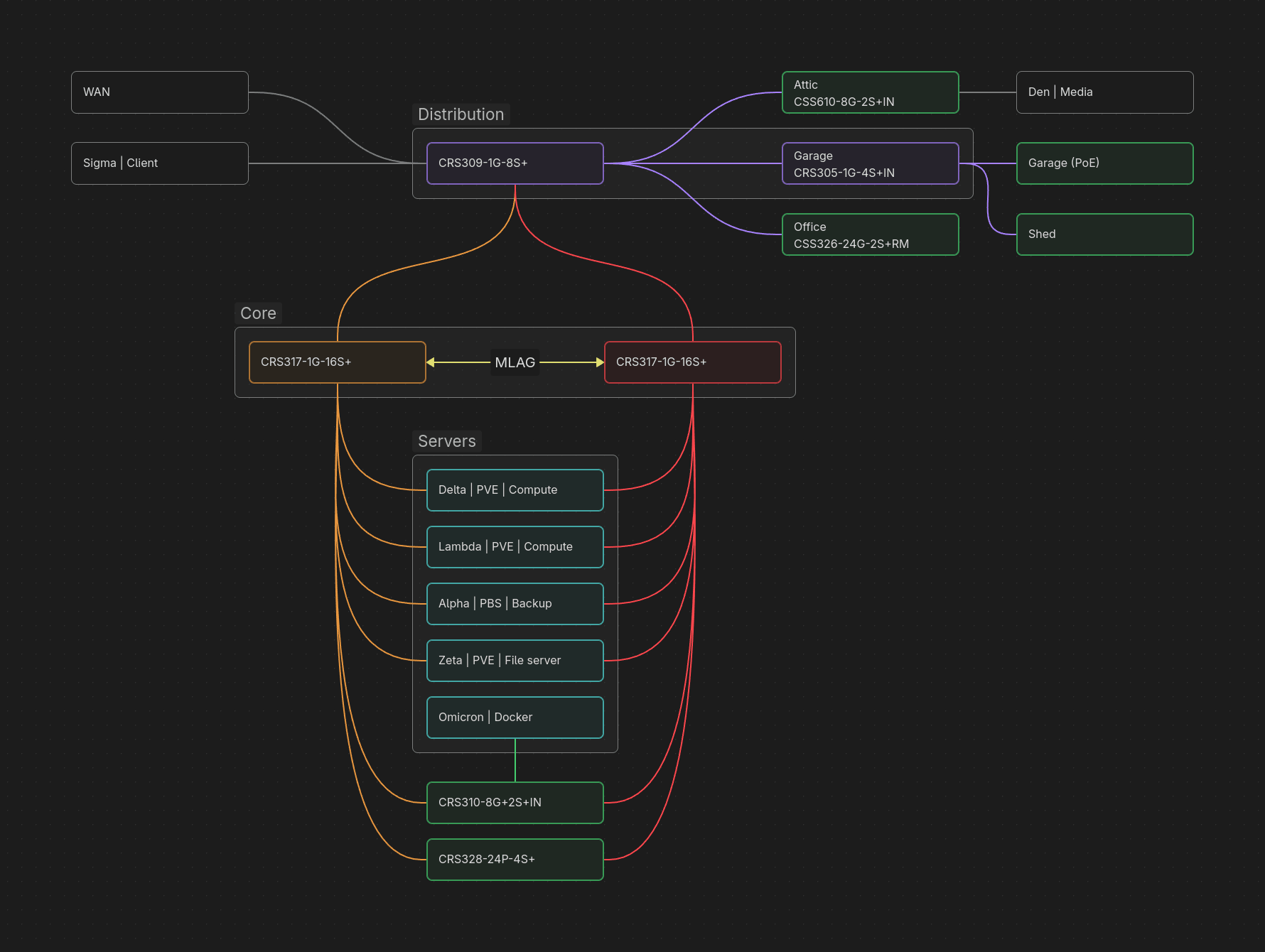
We are working on refurbishing our garden shed — which will, when complete, get fiber from the garage. The conduits are already in place. And a Wi-Fi access point of course!
My homelab rack has also changed quite a bit since I last documented it, but I think that deserves a post on its own.
All my networks have functioning IPv6, but I’d like to do, learn and understand more.
And I probably should make a proper management network at some point 🤷♂️
Ending note
In short; the Home network v2 tag/series has turned into an undefined collection of things, and no longer serves a real purpose. For that reason I will simply remove it, and redirect to this post instead.
Fin 🥐