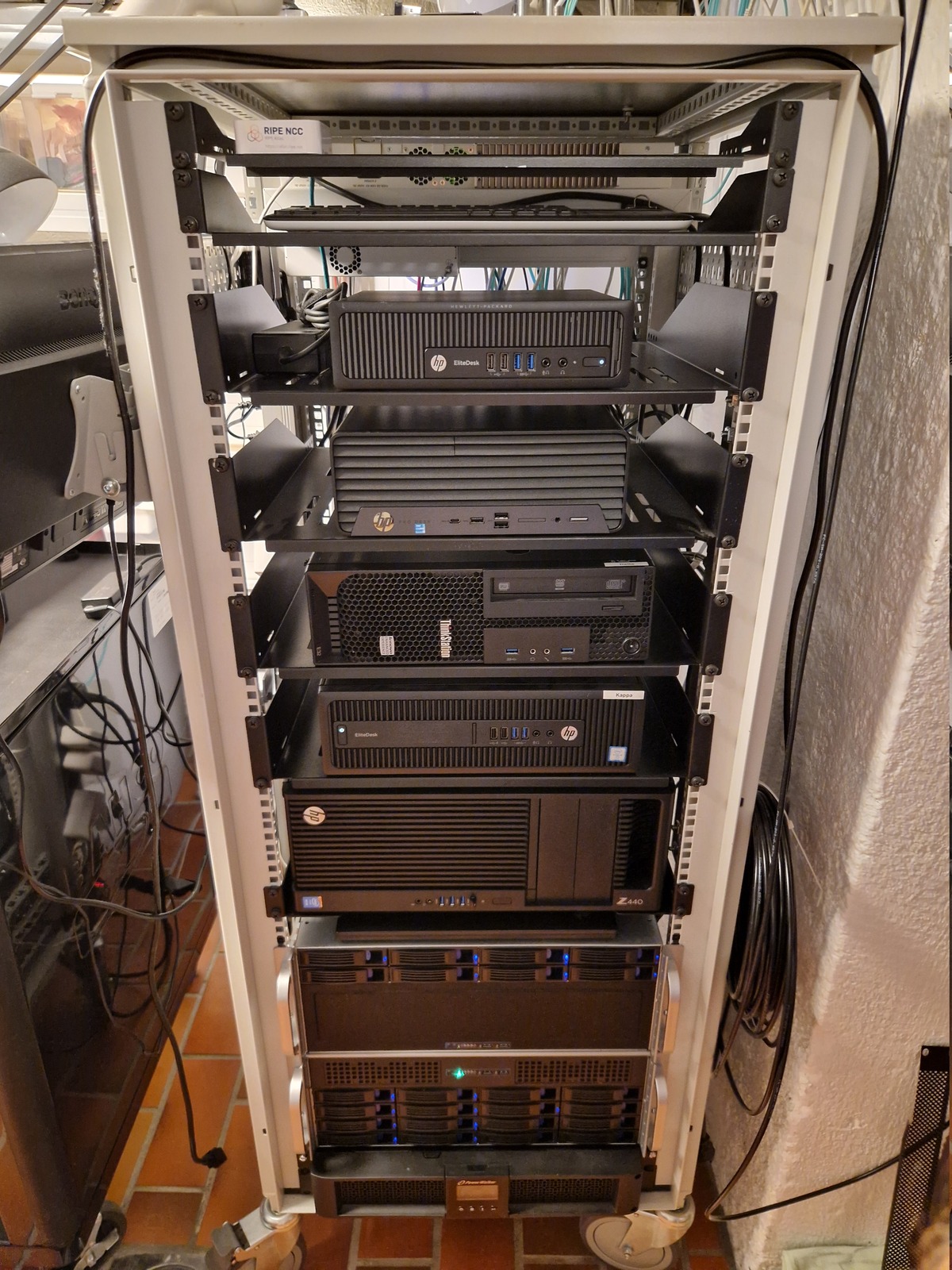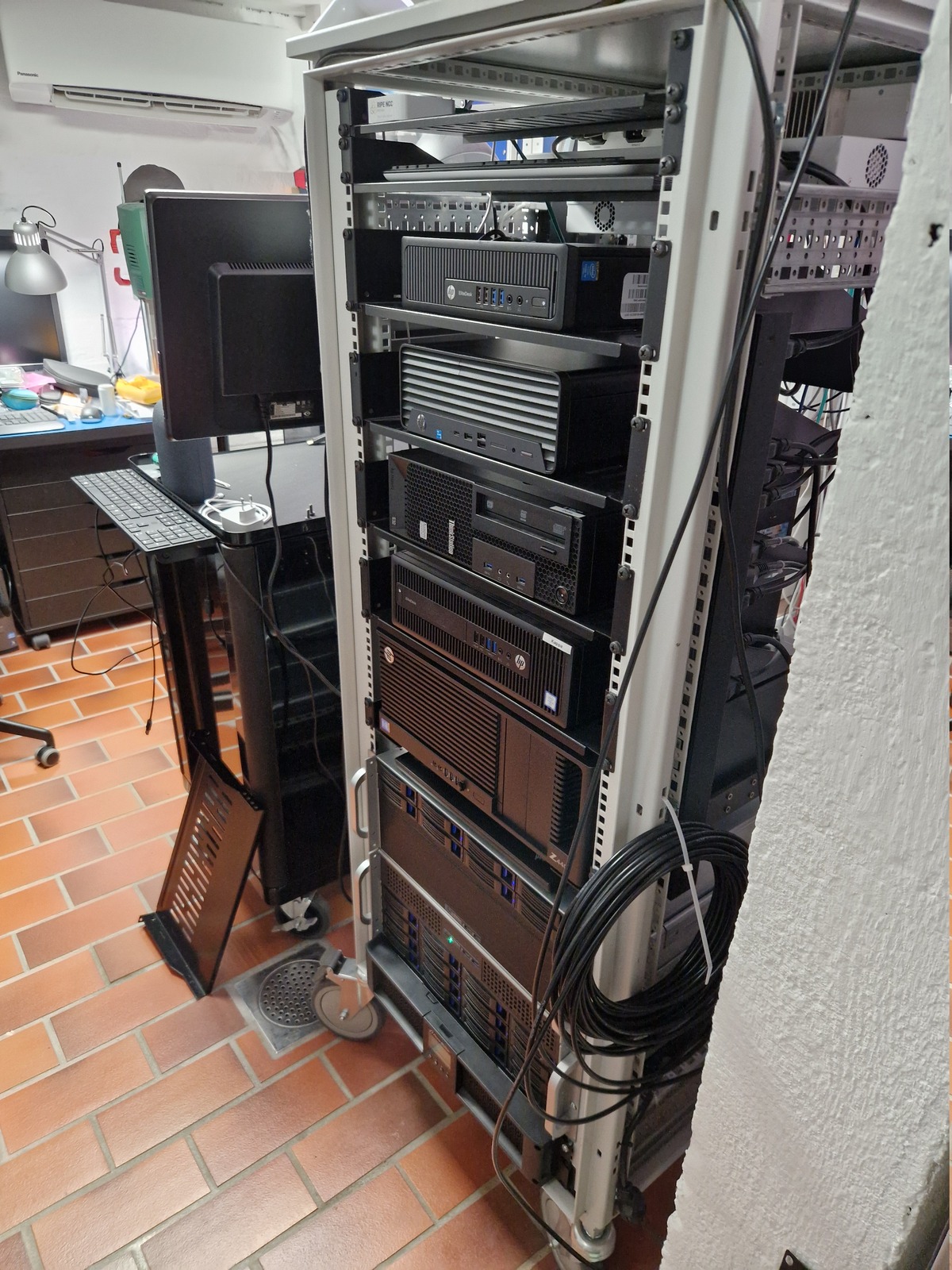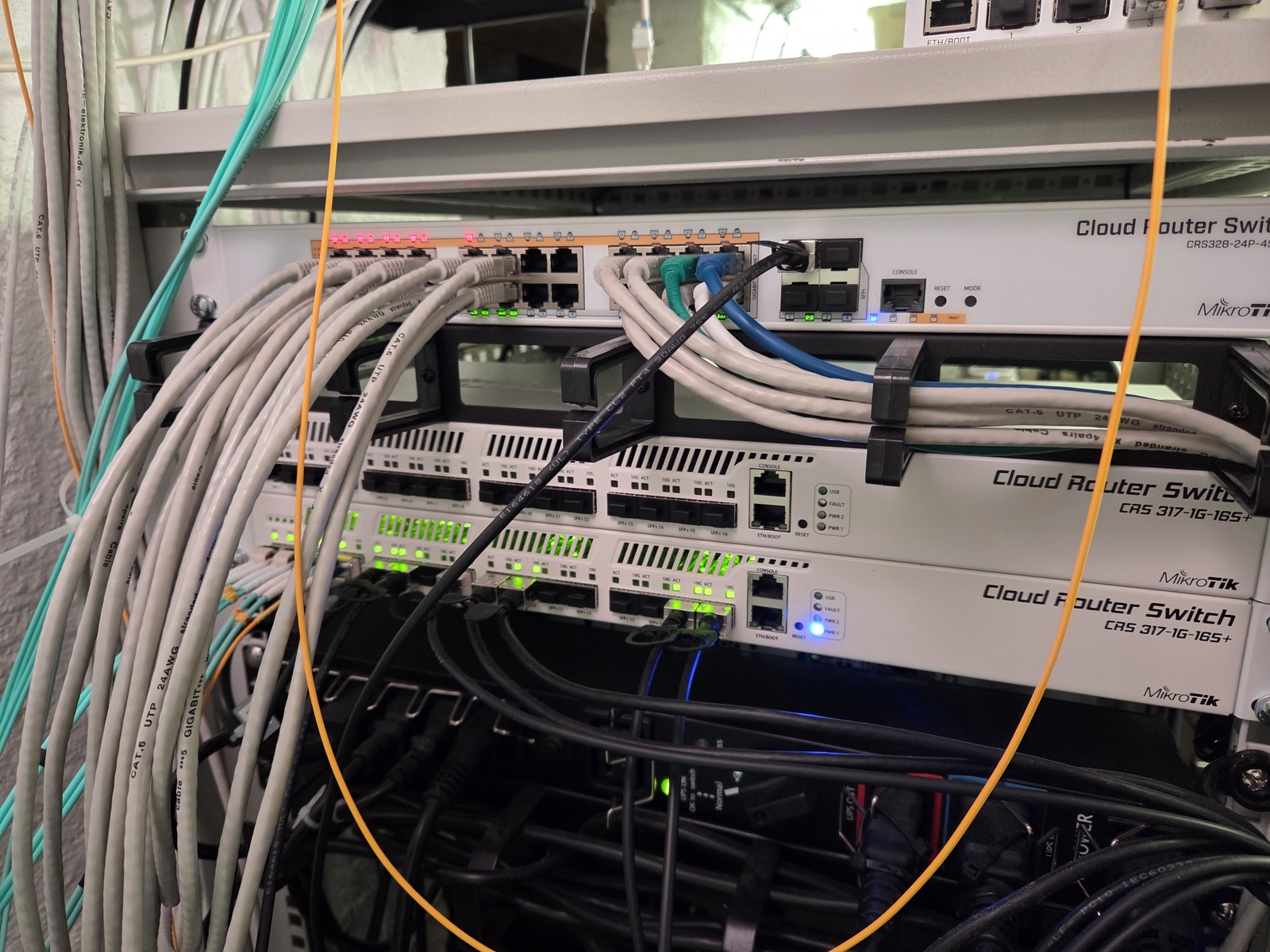
Most of my computer projects includes, or revolves around, my homelab — a 29U, 600x600 mm, rack in my home office.
Sounds interesting? Follow along on Mastodon 🦣
Table of contents
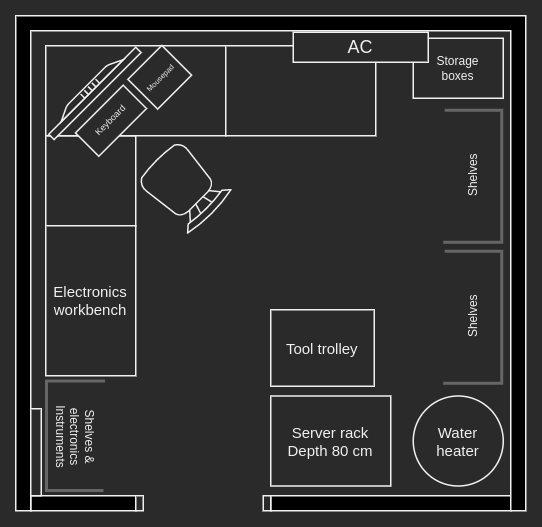
Location
My homelab rack is located in the basement, in the corner of my home office — right next to the water heater 😎
Top to bottom
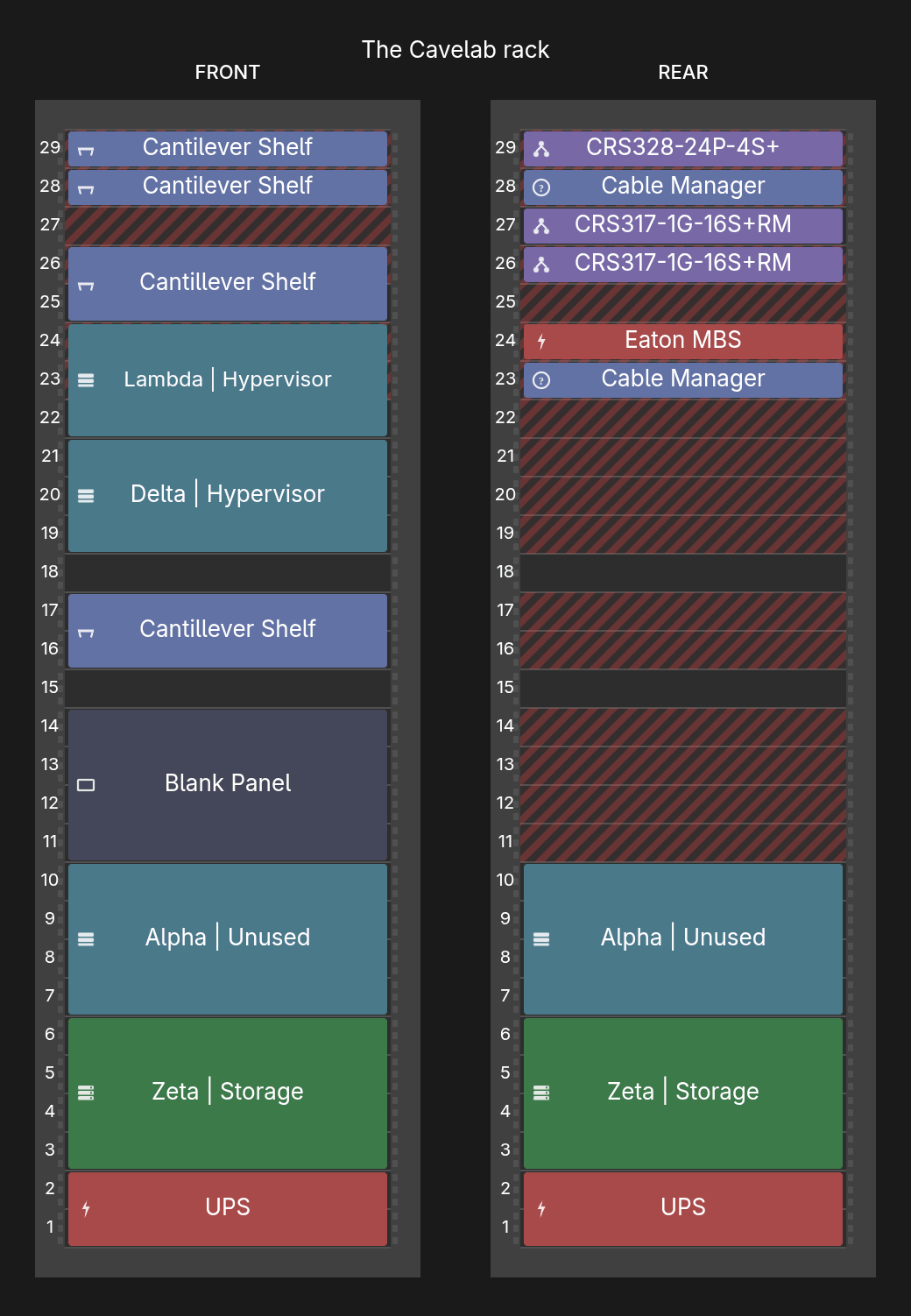
Front
- Lambda, Hypervisor
(Proxmox VE)
- SFF Desktop
- Delta, Hypervisor
(Proxmox VE)
- SFF Desktop
- Alpha, Backup
(PBS)
- Rackmount 4U
- Zeta, Storage
(Proxmox VE)
- Rackmount 4U
- BlueWalker PowerWalker VI 1500 RT HID
Power distribution
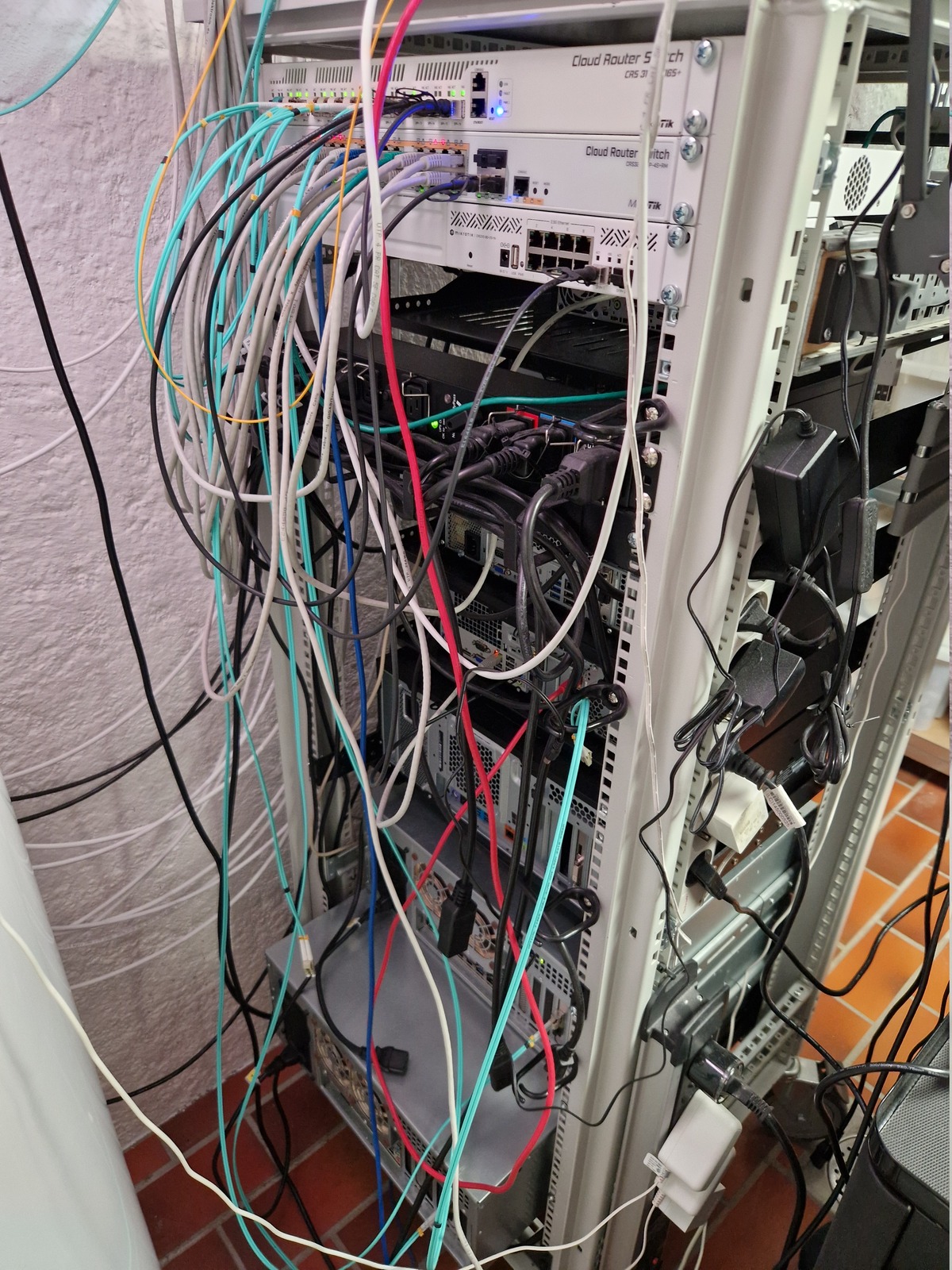
Rear
- MikroTik CRS328-24P-4S+
Network - MikroTik CRS317-1G-16S+
Network×2 - Eaton HotSwap MBP
Power distribution
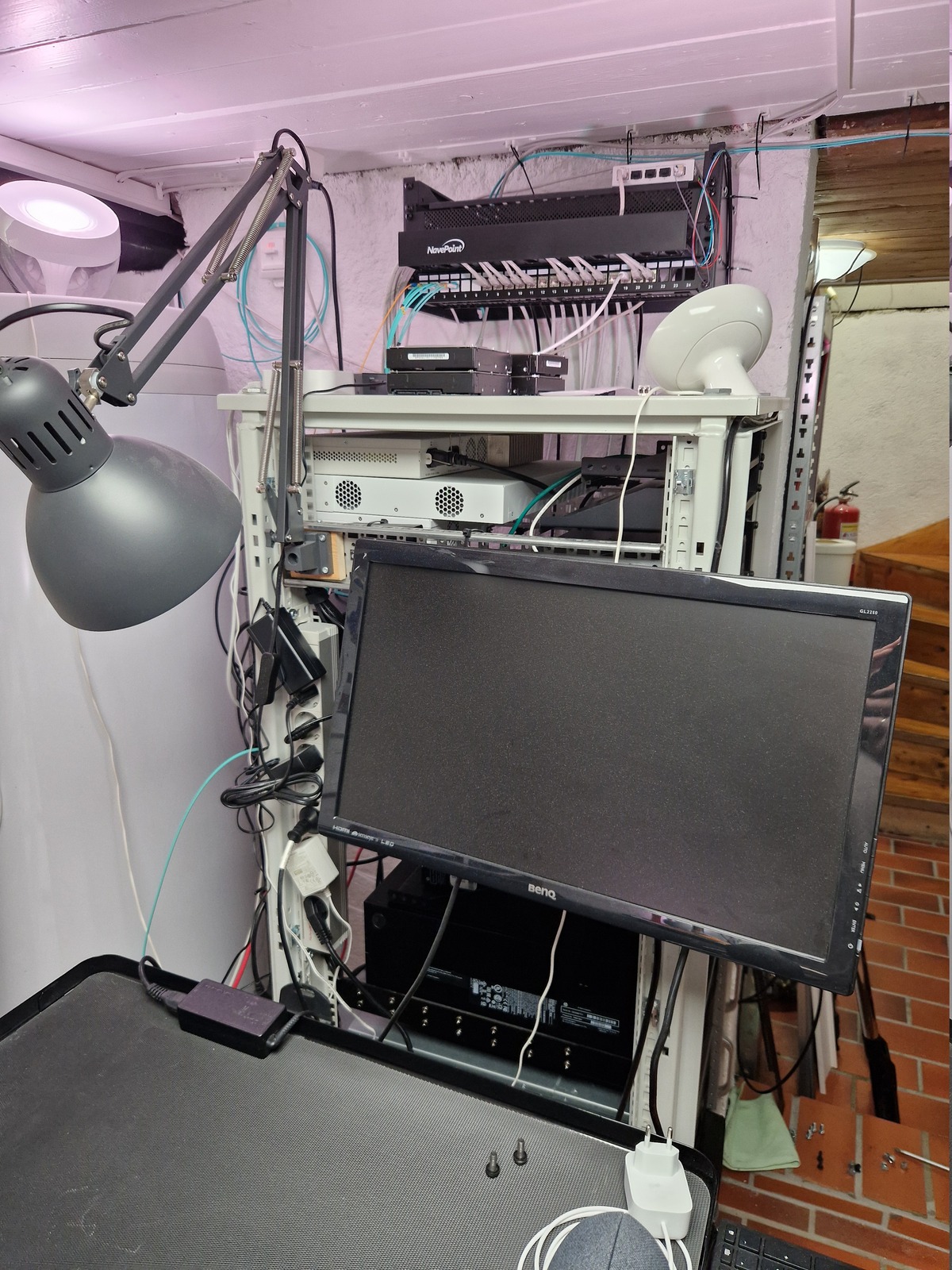
Non-racked
- MikroTik CRS310-8G+2S+
Network - MikroTik CRS305-1G-4S+
Network - APC Rack-Mount PDU
Power distribution - Anker PowerPort 6 USB, 60W
Power distribution - Philips Hue bridge
IoT - RIPE Atlas probe
Monitoring probe - Schroff Socket strip
Power distribution - Omicron (Tower)
Backup
Every night, all virtual machines and containers are backed up to my local Proxmox Backup Server, running alongside Proxmox VE on Zeta.
Three times a week, these encrypted backups are synced offsite to a secondary PBS instance hosted in a friend’s homelab.
For general documents and files, I use Duplicacy to handle client-side encryption, deduplication, and offsite transfers to the same remote homelab.
Power
I used to have an ATS, Automatic Transfer Switch, which allowed the homelab rack to be connected to two power circuits. If one were to drop out, the ATS would swtich to the other.
That device has been removed from the rack and sold, it has never really been useful in the seven years I’ve had it. And I wanted to use that 1U for something else.
The rack is connected to a 15 A circuit — dedicated to the homelab rack and heat-pump. The supply is protected with a Brennenstuhl Premium-Protect-Line 60 kA surge protector.
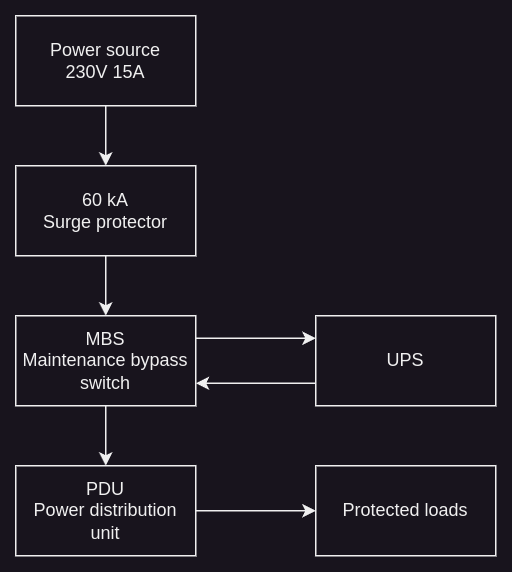
Power monitoring in Home Assistant
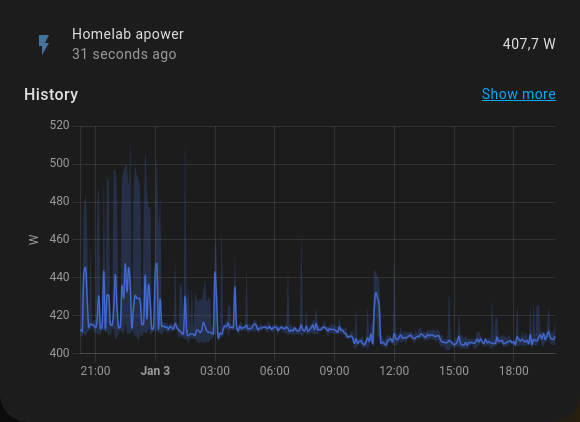
The homelab rack power is measured by a Shelly Plus Plug S.
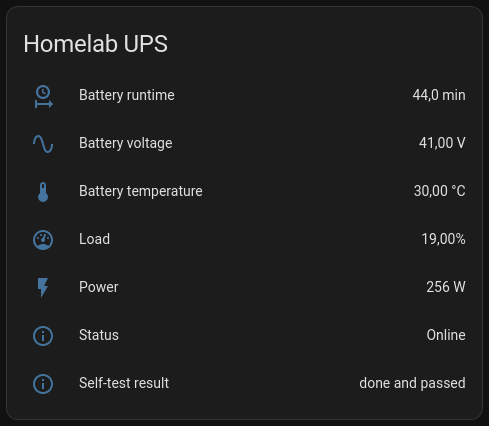
My BlueWalker UPS communicates with NUT, Network UPS Tool, read how this works in this post.
Power usage
With the equipment I currently have powered on — the power is about 380 W, 24 hours median is 400 W. This includes all PoE devices, like Zigbee coordinator/router, Wi-Fi access points and CCTV cameras.
I try to keep the power draw down, and that means power down servers currently not in use.
Noise
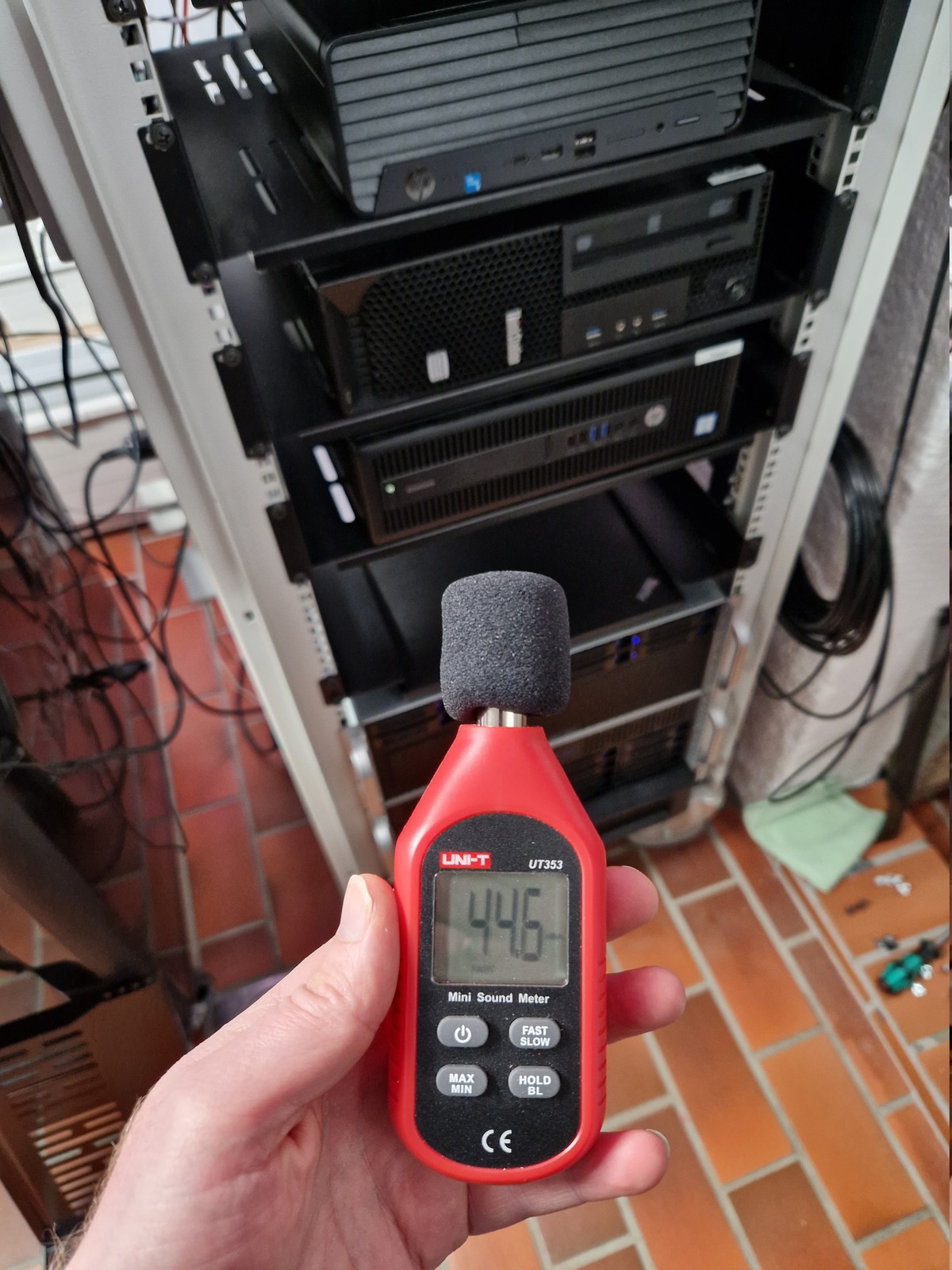
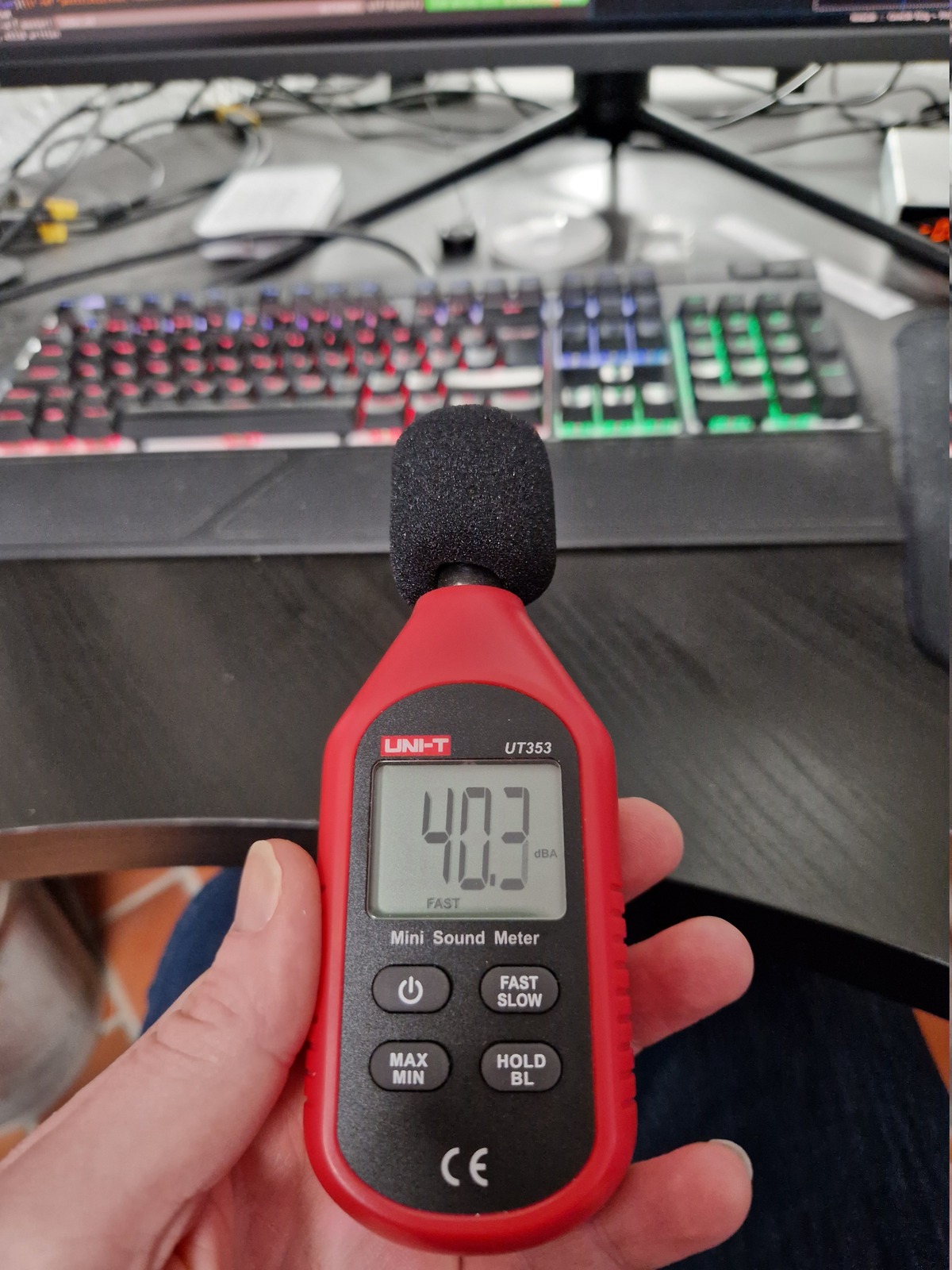
My servers are relatively quiet, I don’t have any small squealing fans or enterprise servers. My 4U Inter-Tech server cases have Noctua fans, and the small form factor machines are already pretty quiet.
The MikroTik switches have 40 mm fans, but they run on low RPM and doesn’t spin up. With one exception; if I put a 10 Gbit/s copper SFP+ module in CRS317-1G-16S+ — the fans start ramping up and it becomes loud. But I don’t use 10 Gbit/s copper, so that isn’t a problem for me.
My desk is facing away from the rack, so I am sitting with my back to the rack — which also reduces the noise.
Network
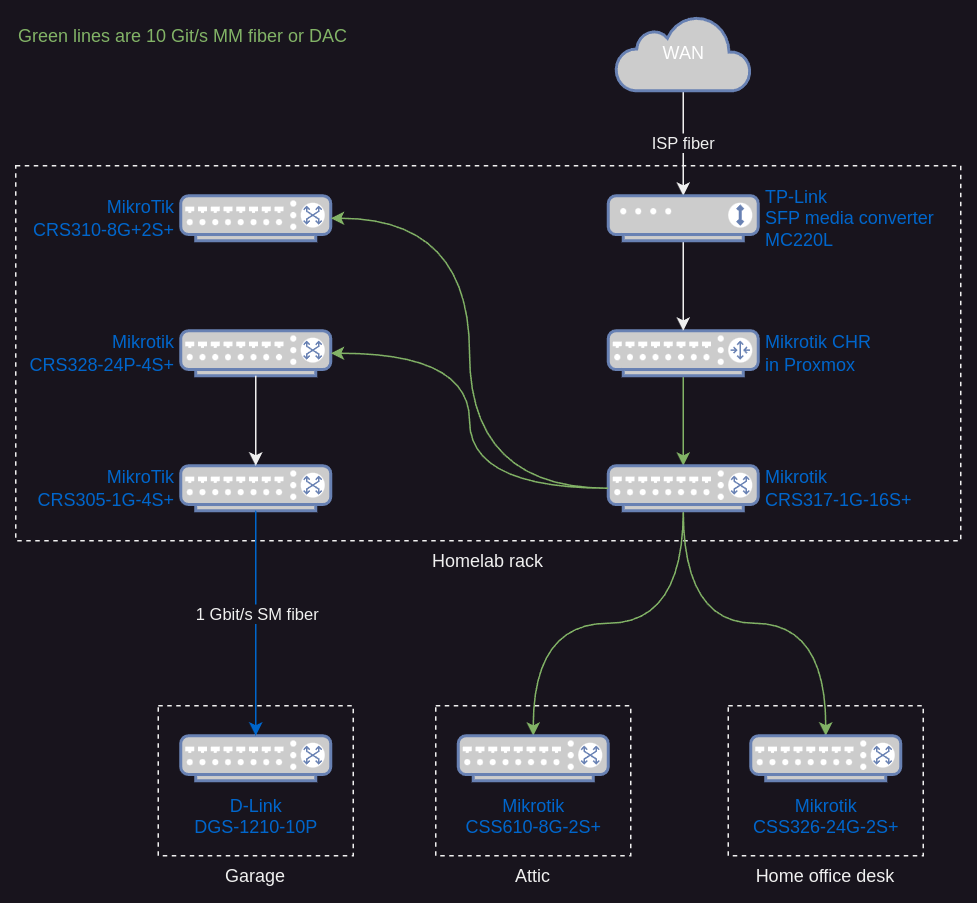
Only switches that I consider part of the backbone is included in this diagram, e.g. a local switch on the TV-bench is not included.
Networks
- CCTV
- DMZ
- Guest
- LAB
- Users
Services
- Authentik
- Beszel
- Caddy
- Forgejo
- Goatcounter
- Home Assistant
- Immich
- Knot DNS server
- Knot Resolver
- Listmonk
- Mikrotik CHR
- Minecraft server
- Miniflux
- Mosquitto MQTT
- NFS server
- NUT server (upsd)
- NVR (DIY FFmpeg)
- Plex Media Server
- Postfix
- Proxmox Backup Server
- Unifi controller
- Web server (nginx)
- Wireguard
- Zigbee2MQTT
- µLogistics
Photos