Posts tagged: networking
Mapping the Wi-Fi coverage in my house and garden

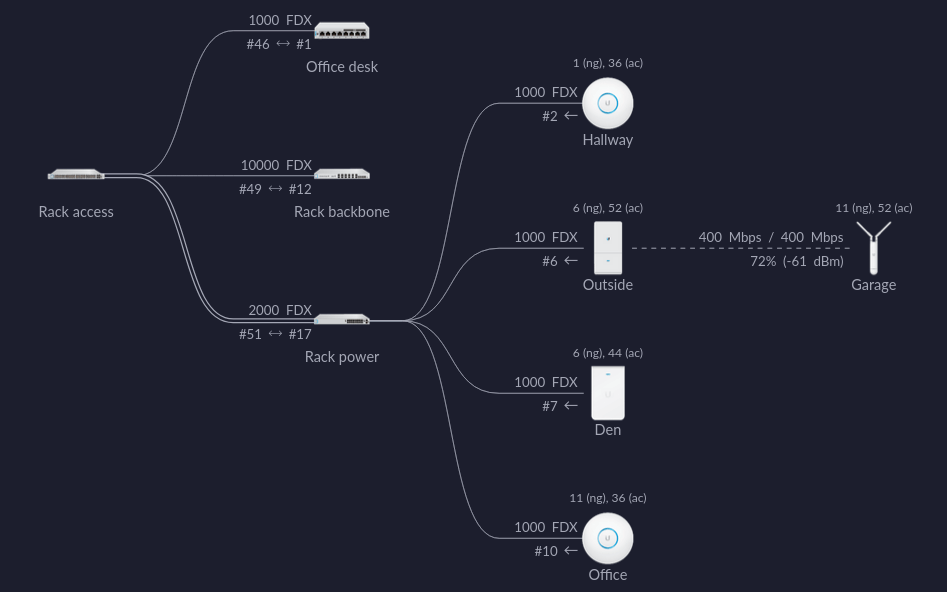
I walked around my house, and garden — measuring the Wi-Fi signal. Here are the results 👇
Altibox fiber — straight into Mikrotik CCR1009

Ever since I got the fiber installed last year, the plan has been to drop the ISP box and plug it straight into my router. That’s why I had the fiber terminated in my patch panel. I’ve been reluctant …
Getting started with MikroTik CCR1009 and RouterOS

When I began replacing my Unifi switches with MikroTik — I was very impressed with the MikroTik devices. So when I found a CCR1009-7G-1C-1S Core router, second hand, for a reasonable price — there was …
Replacing Unifi switches with MikroTik

The last month or so I’ve been replacing my Ubiquity Unifi switches. It’s part of a complete network rebuild — more posts will follow… Four years ago; when I first got into the Unifi system, I loved …
Getting started with EVE-NG

I’ve been familiarizing myself with MikroTik equipment recently, especially RouterOS — in a quest to learn and understand more about networking. During that process I found the YouTube channel The …
My home Ethernet wiring
When we bought our house last year; it had lots of coax and telephone outlets, with conduit in the wall connecting them. I have no use for these outlets, but the wall boxes and conduits can be …
Hide your homelab IP with a VPS, WireGuard and iptables

One (potential) downside to running public services on your homelab, is that you expose your IP address. That may, or may not, be a problem — but here are ways around it. The simplest way is to put …
Setting up a local Unbound ad-blocking DNS resolver

I’ve been using dnsmasq as a local DNS resolver for a while, time to switch to Unbound instead.
Fiber in the patch panel

I have two fiber cables in my patch panel — a single-mode simplex SC from my ISP, and a multi-mode duplex LC for 10 GbE network to my desktop computer.
My new home office

In our new house there is an 20 m² basement, it consists of two rooms — both 10 m². I have turned the inner room into my new home office/server room, with my electronics lab and homelab.
Altibox 6rd on OPNsense

Dropping the Altibox router/modem, and getting IPv6 using 6rd to work on OPNsense.
Homelab (2019)

I’ve got a tiny computer lab at home; a 29U rack with servers, UPS, ATS, PDU, 10 Gbit networking, OPNsense, and all the cool stuff.
The homelab adventure begins!

I've had a server rack for many years, but never really gone all in. Well, that changed...
Network infrastructure upgrade, UniFi FTW!

I've recently upgraded the network infrastructure in our house. Went all in with Ubiquiti UniFi, it’s pretty sweet.